Latest iPhone Update: Powerful Hidden Features You Shouldn’t Ignore

The latest iPhone update may not look dramatic at first glance. There’s no radical redesign. No overwhelming feature explosion. But after installing it and using my iPhone normally for a couple of weeks, I started noticing something subtle — the phone just felt smoother, smarter, and slightly more refined.
Not revolutionary. Just noticeably better.
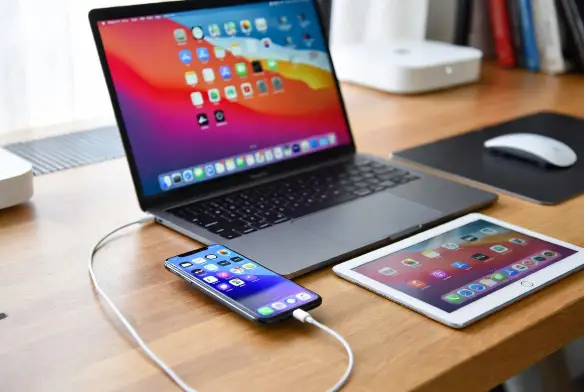
If you’re someone who uses an iPad or Mac alongside your iPhone, this update becomes even more interesting. Because some of the improvements aren’t loud — they’re quietly integrated into the Apple ecosystem.
Let’s break down what actually matters.
Powerful Privacy Improvements in the Latest iPhone Update
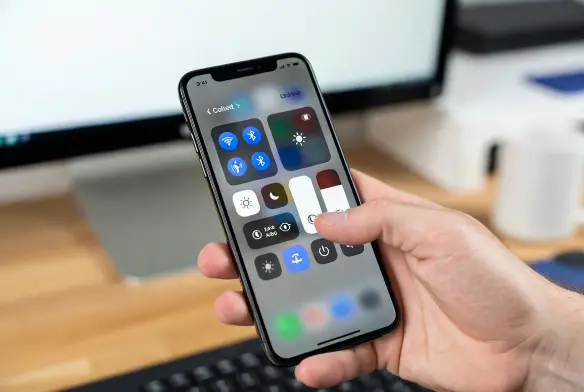
One of the strongest upgrades in the latest iPhone update is privacy transparency.
Apple has always pushed privacy as a core feature (you can read their privacy philosophy here. But this update refines how you monitor app behavior.
Inside:
Settings → Privacy & Security
You now get clearer breakdowns of which apps recently accessed your camera, microphone, or location.
I checked mine casually and realized a third-party shopping app was refreshing location access more frequently than I expected. It wasn’t malicious. But it didn’t need that much access either.
Small detail. But it makes you more aware.
That awareness is valuable.
Hidden Performance Gains in the Latest iPhone Update
Here’s where I was honestly surprised.
After installing the latest iPhone update, I expected the usual: temporary lag, background indexing, slight battery drains for a few days.
But animations felt tighter almost immediately.
App switching felt smoother.
Even unlocking with Face ID felt slightly quicker — not dramatically faster, but less hesitant.
Battery life surprised me the most.
On moderate daily usage:
- Messaging apps
- Safari browsing
- YouTube streaming
- Some photography
- Social media scrolling
The phone comfortably lasted from morning until late evening without dipping into emergency mode by mid-afternoon.
I didn’t expect that. I was prepared for average performance.
Instead, it felt optimized.
Better Apple Ecosystem Integration (Mac & iPad Tie-In)
If you use a MacBook or iPad daily, the latest iPhone update improves the ecosystem experience in subtle but meaningful ways.
AirDrop Stability Feels Stronger
AirDrop transfers feel more reliable. I tested sending a 1GB 4K video clip to a MacBook Air. Previously, large files sometimes stalled around 70–80%. This time, it completed smoothly without disconnecting.
Apple’s Continuity features are explained here.
But real-world stability matters more than documentation. And yes — it feels more stable.
Safari Tab Sync Is Faster
Opening Safari on my Mac now instantly shows tabs I opened on my iPhone.
Before, there was a short delay. Now it’s almost immediate.
Again, not flashy. But if you switch devices often, that smoothness adds up.
Smarter Lock Screen and Widget Behavior
Another improvement in the latest iPhone update is widget responsiveness.
After about a week, my Lock Screen started suggesting Calendar widgets during work hours and Fitness widgets later in the day.
It feels adaptive without being intrusive.
I didn’t configure anything aggressively. It just learned.
There’s something quietly satisfying about that.
Security Fixes You Probably Didn’t Read
Most users ignore the technical security notes that come with updates. I get it — they’re full of technical terms.
But the latest iPhone update includes backend security patches that fix vulnerabilities across system services.
Apple lists security updates here.
Even if you don’t care about visible features, security alone makes updating worthwhile.
Because vulnerabilities don’t announce themselves before causing problems.
Subtle Camera and Photo Processing Tweaks
Photo processing feels slightly more refined. Skin tones appear a bit more natural in indoor lighting.
I took a few comparison shots before and after updating. It’s not night-and-day. But shadows look slightly cleaner, and HDR blending feels less aggressive.
Again — refinement, not reinvention.
Who Should Install the Latest iPhone Update Immediately?
The latest iPhone update makes the most sense for:
- Users deep in the Apple ecosystem
- Professionals switching between Mac and iPhone
- Privacy-conscious users
- Anyone wanting smoother daily performance
If you’re using an older iPhone model and worried about slowdowns, backing up first is always smart practice.
But from testing and daily use, stability feels solid.
Is There Any Downside?
No update is perfect.
Some users report minor third-party app bugs immediately after updating. That’s usually app-developer delay, not Apple’s fault.
Also, storage indexing can temporarily consume battery within the first 24–48 hours.
But after that? It stabilizes.
For me, the experience has been smooth.
Final Verdict: Quietly Powerful
The latest iPhone update isn’t dramatic.
It won’t transform your device into something completely new.
But it strengthens what Apple already does well:
- Privacy protection
- Ecosystem integration
- Smooth performance
- Subtle intelligence
After using it consistently, my honest opinion?
It feels polished.
Not loud.
Not flashy.
But quietly powerful.
And honestly, that’s what a good update should be.