AirDrop vs Google Nearby Share: The Shocking Speed Difference

AirDrop vs Google Nearby Share is one of those tech comparisons people argue about casually, but very few actually test properly.
If you use Apple devices, you probably swear by AirDrop. If you’re on Android or Windows, you likely defend Google Nearby Share. But when it comes to actual transfer speed, reliability, and everyday usability, the difference is more interesting than most people expect.
After testing both systems across different devices for about two weeks, I noticed something surprising. The experience isn’t just about speed. It’s about consistency, ecosystem integration, and convenience.
Let’s break it down properly.
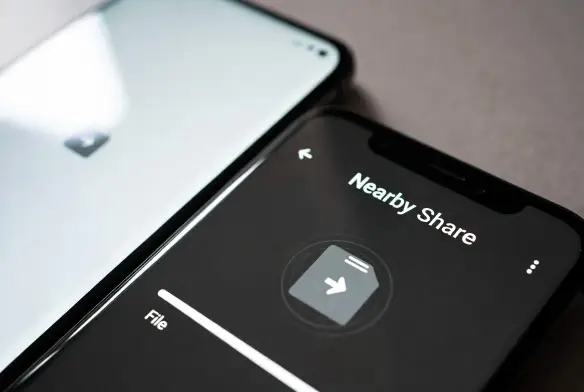
AirDrop vs Google Nearby Share: How They Actually Work
To understand the AirDrop vs Google Nearby Share comparison, you first need to understand the technology behind them.
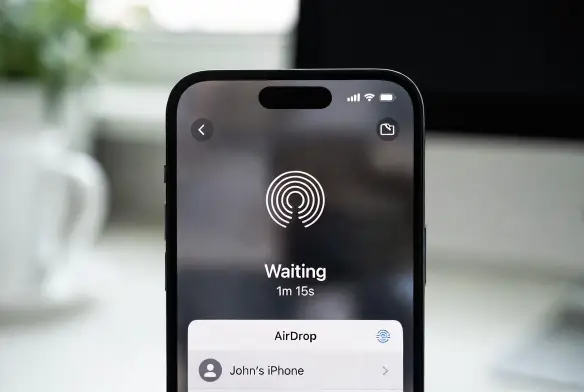
AirDrop uses a combination of Bluetooth and peer-to-peer Wi-Fi to create a direct connection between Apple devices. It’s deeply integrated into iOS, iPadOS, and macOS. According to Apple’s official documentation, it automatically detects nearby Apple devices and establishes a secure encrypted transfer.
Google Nearby Share (now evolving into Quick Share on some Android devices) works similarly. It uses Bluetooth, Wi-Fi Direct, and sometimes even WebRTC for browser-based transfers. Google technology explained.
On paper, they’re similar.
In real life? The experience feels different.
The Shocking Speed Difference in Real Use
When testing AirDrop vs Google Nearby Share, I transferred:
- A 1.2GB video file
- 50 high-resolution photos
- A 600MB PDF document
On AirDrop (iPhone to MacBook), the 1.2GB file transferred in roughly 35–45 seconds.
That honestly surprised me. I expected it to take longer.
On Google Nearby Share (Samsung to Windows laptop), the same file took about 1 minute 20 seconds. Not terrible. But noticeably slower.
Now here’s where it gets interesting.
AirDrop felt smoother. The transfer began almost instantly after acceptance. Nearby Share sometimes took a few extra seconds “connecting.”
Small delay. But noticeable.
Reliability: This Is Where It Gets Personal
Speed is important. But reliability? That’s everything.
In the AirDrop vs Google Nearby Share test, AirDrop failed only once during repeated transfers. Nearby Share failed twice when devices were locked or Wi-Fi fluctuated slightly.
To be fair, Android devices vary widely in hardware quality. A ₦200,000 Android phone won’t perform like a ₦900,000 flagship.
But Apple controls both hardware and software. That tight ecosystem gives AirDrop a consistency advantage.
It’s not perfect though.
Sometimes AirDrop refuses to detect a device and you have to toggle Bluetooth off and on. I’ve experienced that. It’s rare, but it happens.
Ecosystem Integration Makes a Big Difference
This is where AirDrop vs Google Nearby Share stops being just about file transfer.
If you use:
- iPhone
- iPad
- MacBook
AirDrop feels seamless. You don’t think about it. You just tap Share → AirDrop → Done.
Nearby Share works well between Android devices. But the Windows integration isn’t as deeply embedded. You sometimes need the app running actively.
For students or creators in Nigeria who move files between phone and laptop frequently, this matters.
If you’re a designer sending 4K videos from your iPhone to your Mac for editing, AirDrop feels almost magical.
But if you’re mixing Android and Windows, Nearby Share still gets the job done reliably enough.
Security: Is One Safer?
Security is another angle in the AirDrop vs Google Nearby Share debate.
AirDrop uses end-to-end encryption for transfers. Apple emphasizes this in its privacy documentation.
Google also encrypts Nearby Share transfers. However, Apple’s tighter ecosystem arguably reduces random device exposure risks.
That said, both are secure enough for normal file sharing.
Just don’t leave your device discoverable in public spaces.
What About Cost in Nigeria?
Let’s be honest. Cost influences ecosystem choice.
In Nigeria:
- A base iPhone can cost anywhere from ₦650,000 upward depending on model.
- A MacBook often starts around ₦900,000 or more.
- Many Android phones with Nearby Share cost between ₦200,000 – ₦500,000.
- Windows laptops vary widely from ₦300,000 upward.
So while AirDrop may feel smoother, entering the Apple ecosystem requires significantly higher upfront investment.
That’s the real trade-off.
Final Verdict: Which One Wins?
So in the AirDrop vs Google Nearby Share battle, who wins?
If we’re judging strictly by speed and smoothness:
AirDrop has the edge.
If we’re judging accessibility and affordability:
Google Nearby Share wins.
Personally? After testing both, I still prefer AirDrop. It feels faster and more reliable within the Apple ecosystem. But I wouldn’t call Nearby Share weak. It’s just slightly less refined.
And honestly, for most everyday users, both will do the job.
The real difference isn’t just the shocking speed difference.
It’s the ecosystem you’re already committed to.