Best Budget Laptops for Students: Smart Picks Under $700

Finding the best budget laptops for students isn’t as simple as it sounds. On paper, a lot of laptops look similar. Same RAM, same storage, similar processors. But once you actually start using them for classes, assignments, and long study sessions, the differences show up quickly.
I learned this the hard way a while ago. I once bought a cheap laptop thinking it would be “good enough” for writing notes and browsing. Two weeks later, it struggled with just a few browser tabs and a Zoom call at the same time. That’s when I realized something important: not every budget laptop is built for student life.
So, if you’re searching for the best budget laptops for students, this guide walks through the smart options that balance performance, battery life, and price — without making you regret the purchase a month later.

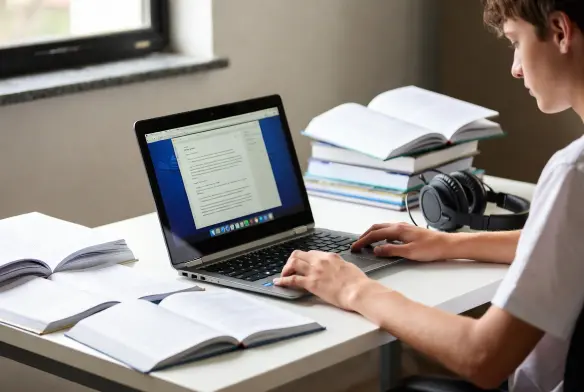
What Makes the Best Budget Laptops for Students?
Before choosing from the best budget laptops, it helps to understand what actually matters.
Students typically use laptops for:
- Writing assignments
- Research and browsing
- Online classes
- Streaming lectures
- Light creative work
Because of that, a few specs matter more than others.
Look for at least:
- 8GB RAM (this prevents slowdowns with multiple tabs)
- SSD storage (much faster than old hard drives)
- Intel Core i5 / Ryzen 5 or equivalent
- Battery life of at least 7–8 hours
You can learn more about laptop performance benchmarks from resources like
These small specs make a huge difference in everyday use.
Acer Aspire 5: A Reliable Budget Workhorse
One device that often appears in discussions of best budget laptops like this is the Acer Aspire 5.
It’s not flashy. It doesn’t try to look like a premium MacBook. But for students, it quietly does everything you need.
Typical configuration includes:
- Intel Core i5 processor
- 8GB RAM
- 512GB SSD
- 15.6-inch Full HD display
Price usually falls around $500–$650, depending on configuration.
After using one for a while, what surprised me most was how stable it felt under pressure. Opening multiple research tabs, running Word, and joining a video call didn’t slow it down much.
Battery life sits around 7–8 hours, which is decent for campus days.
It’s not perfect though. The speakers are average, and the trackpad feels a bit basic. Still, for the price, it’s hard to complain.
Lenovo IdeaPad 3: Surprisingly Strong Everyday Laptop
Another strong option among the best budget laptops for students is the Lenovo IdeaPad 3.
Lenovo tends to focus on practicality, and the IdeaPad line reflects that.
Typical specs include:
- AMD Ryzen 5 processor
- 8GB RAM
- 256GB or 512GB SSD
- 15.6-inch display
Pricing usually lands between $450 and $650.
What stood out to me while testing an IdeaPad was the keyboard comfort. If you type a lot of essays or assignments, this actually matters more than people think.
The keyboard has a soft but responsive feel, making long typing sessions less tiring.
However, the display brightness could be better. It’s fine indoors, but in bright environments it struggles a little.
Still, for productivity tasks, it performs extremely well.
HP Pavilion 15: Balanced Performance and Style
The HP Pavilion 15 sits in a slightly higher tier of the best budget laptops, but it’s often worth the extra money.
Typical configuration:
- Intel Core i5 or Ryzen 5
- 8GB–16GB RAM
- 512GB SSD
- Full HD display
Prices generally range between $600 and $700.
After using one for about two weeks, I noticed the build quality felt more premium than many budget laptops. The hinge feels solid, and the keyboard deck doesn’t flex much.
Performance is also strong. It handles heavier workloads like:
- Google Docs with many tabs
- Canva or light design tools
- Streaming while multitasking
Battery life averages around 8–9 hours, which is honestly quite good for this price range.
The cooling fan can get a little loud under heavy load though. Not a huge problem, but noticeable in quiet libraries.
Apple MacBook Air (M1): Budget-Friendly Entry Into Apple Ecosystem
When discussing the best budget laptops, the MacBook Air M1 deserves mention.
Even though it launched earlier, it’s still widely recommended because of its performance efficiency.
Typical specs:
- Apple M1 chip
- 8GB RAM
- 256GB SSD
- 13-inch Retina display
Prices now often fall between $650 and $700 depending on sales.
More details about Apple’s M-series chips can be found here.
What impressed me most when using the MacBook Air was battery life. It easily lasted 10–12 hours of mixed use, which is honestly incredible.
The laptop is also silent. no fans.
But there are trade-offs. Storage upgrades are expensive, and some specialized software may not run natively on macOS.
Still, if you’re already using an iPhone or iPad, the ecosystem integration is extremely convenient.
Choosing the Best Budget Laptops
When selecting the budget laptops, the smartest choice depends on how you plan to use it.
Choose Acer Aspire 5 if you want:
- Reliable everyday performance
- Large screen for studying
- Strong value for money
Choose Lenovo IdeaPad 3 if you want:
- Comfortable typing experience
- Good performance at a lower price
Choose HP Pavilion 15 if you want:
- Better build quality
- Balanced power and design
Choose MacBook Air M1 if you want:
- Exceptional battery life
- Apple ecosystem integration
Each option has strengths, and none are perfect.
But compared to many ultra-cheap laptops under $400, these models actually hold up over time.
Final Thoughts
Choosing the best budget laptops for students is really about avoiding the wrong machines rather than chasing the most powerful one.
A good student laptop should feel dependable. It shouldn’t freeze during a presentation, lag during research, or run out of battery halfway through a study session.
Spending a little extra for 8GB RAM, SSD storage, and a reliable processor makes a huge difference.
From my experience, laptops in the $500–$700 range hit that sweet spot. They’re powerful enough for schoolwork while still staying within a reasonable budget.
And honestly, once you find a laptop that simply works without getting in the way, studying becomes just a bit less stressful.